Please follow the steps below to update your payment details:
- Log in to your parent account
Click here to access the Parent Dashboard. - Access your profile
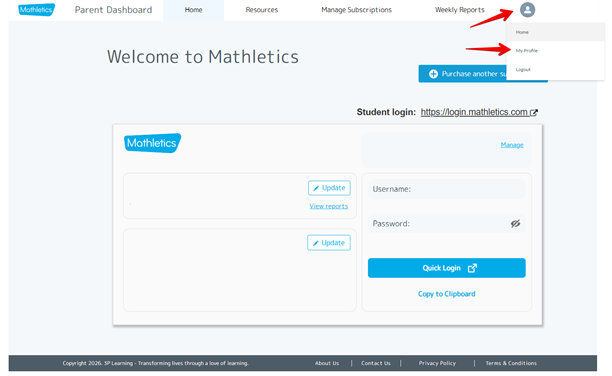
In the top-right corner of the dashboard, select your profile icon and choose My profile from the drop-down menu.
- Open Payment Details
Scroll down to the Payment Details section at the bottom of the page.

- Update your information
Click Update and follow the prompts to edit your payment details.
Was this article helpful?
That’s Great!
Thank you for your feedback
Sorry! We couldn't be helpful
Thank you for your feedback
Feedback sent
We appreciate your effort and will try to fix the article