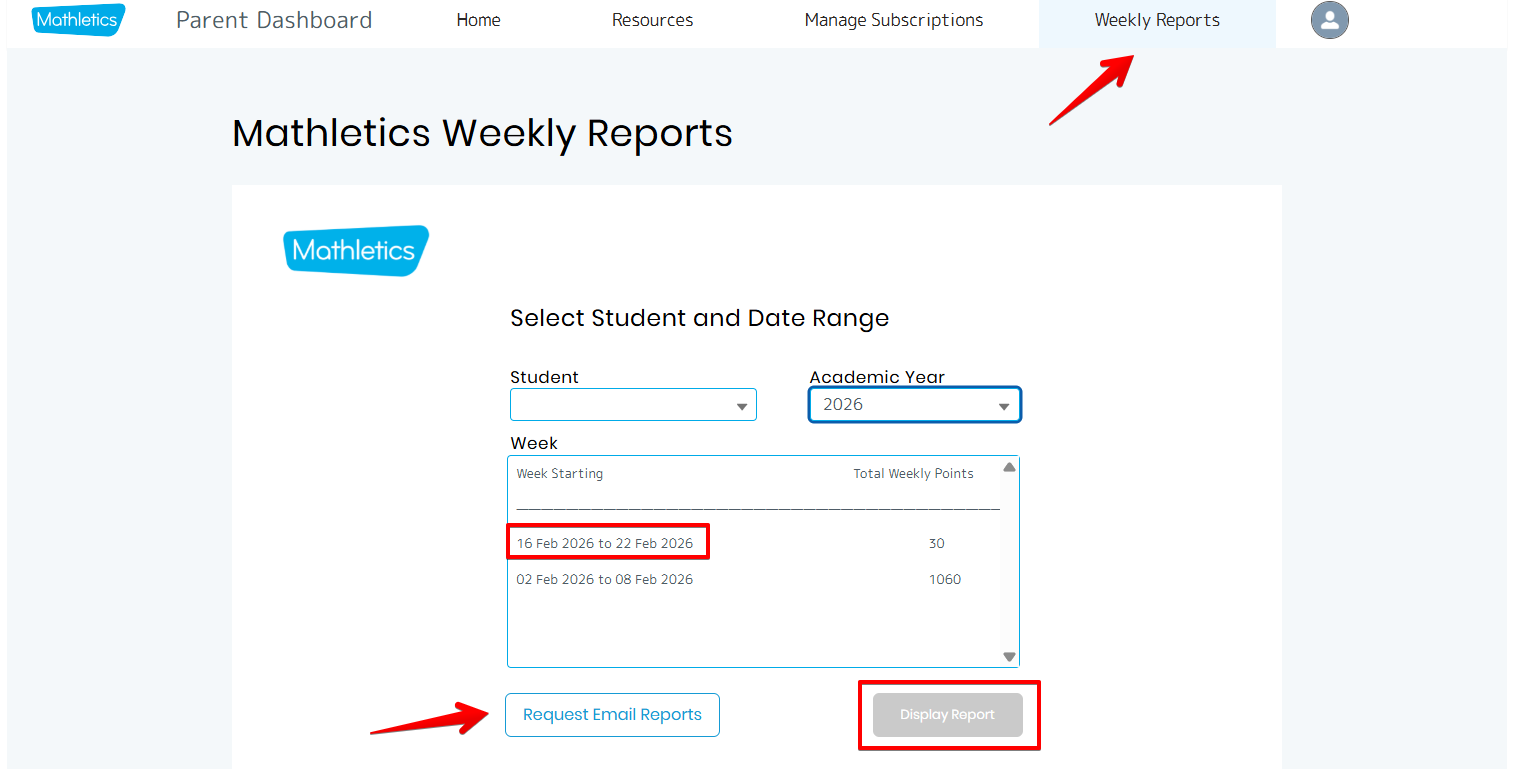
Weekly progress reports are available for each student within the Parent Dashboard. To access them, select the ‘Weekly Reports’ tab on the right-hand side of the top menu bar.
On this page, parents can:
- Select a student from the profiles linked to their account
- Choose the relevant academic year
- Select a report and click ‘Display Report’ to view it
Parents can also request to have weekly reports emailed directly to their registered email address by clicking the ‘Request Email Reports’ button located at the bottom left of the page.
School profile
If your child has a school provided student profile, you can sign up to receive weekly reports on their progression. To do so, just click here and follow the on screen steps.
Was this article helpful?
That’s Great!
Thank you for your feedback
Sorry! We couldn't be helpful
Thank you for your feedback
Feedback sent
We appreciate your effort and will try to fix the article